
As an independent Support Worker you decide what rates you offer.
Pick a Profile Rate
In choosing your Profile Rate, have a think about:
The current 'NDIS Pricing Arrangements' maximum week day rate (refer to latest NDIS pricing arrangements).
Discussing different rates with Members based on the requested booking times and services.
Any travel, distances, other costs or transport involved
What you / Members are happy with to ensure success
Also, think about:
Your qualifications, skill and past experience
What hourly rates other Support Workers offer
Typical prices in your area (higher or cheaper)
Any special / rare skills you offer for Members
Important
If a Member has Plan Managed NDIS funding, maximum hourly rates exist.
This means you cannot charge over the maximum hourly rate.
Your Profile Rate
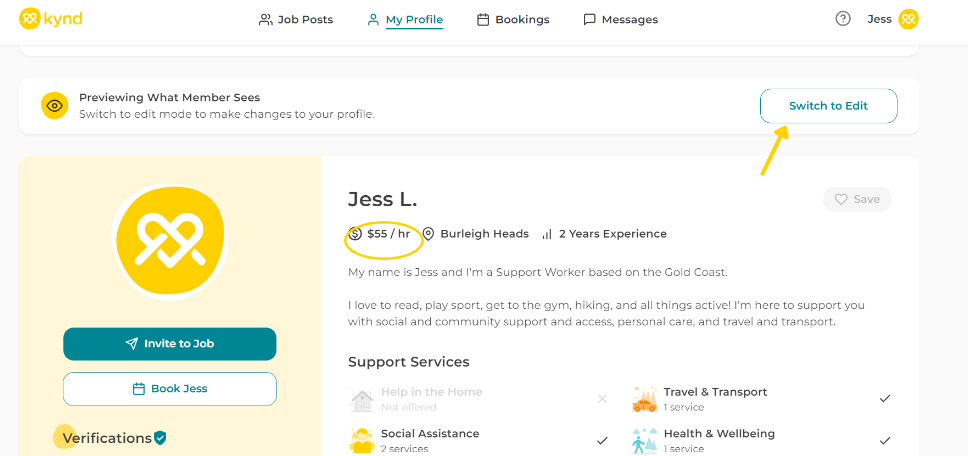
When signing up, you're able to list a 'Profile Rate' for your services.
If a Member requests a booking, it will automatically use this rate.
If needing to agree a change here, message the Member with info.
They can then send you a change request with the updated rate.
The platform has a minimum rate of $50 per hour. If you'd like to lower this rate, contact our team.
This is the rate NDIS Participants will be invoiced.
You can change this anytime by visiting 'My Profile' on the platform.
Your Payout Rate
You'll receive your Profile Rate, minus the platform fees with Kynd.
Remember, Kynd doesn't charge any extra percentage to Members.
That means you can agree a higher Profile Rate with Kynd Members.
If seeking a higher Payout Rate, you can increase your Profile Rate.
Check out the related article below for info about what's included.
Changing Rates
You can agree with Members to use a different rate to your Profile Rate.
Ask the Member to send you a booking with an updated rate.
You can the accept the changes and the new rate will be applied.
You can also update the rate when 'Submitting' a completed booking.
- - - - - - -
Every Member and support scenario is unique. Your rates can be also!