

What is Sleepover Support?
Sleepover bookings start before midnight and end after midnight.
The Sleepover period is for 8 hours or more.
The Support Worker can sleep when not providing support.
As an NDIS Provider, the Sleepover rate includes 2 hours of active night support (if needed).
What is the Sleepover Rate?
The Sleepover component of the booking is charged as a flat fee, and can be negotiated between the Independent Support Worker and the Member.
When negotiating the flat fee, ensure what you have agreed does not exceed the maximum sleepover rate as outlined in the NDIS Pricing Arrangements and Pricing limits.
How to add a Sleepover booking on Kynd
Select “Add Booking” and follow the prompts to create a new booking on Kynd.
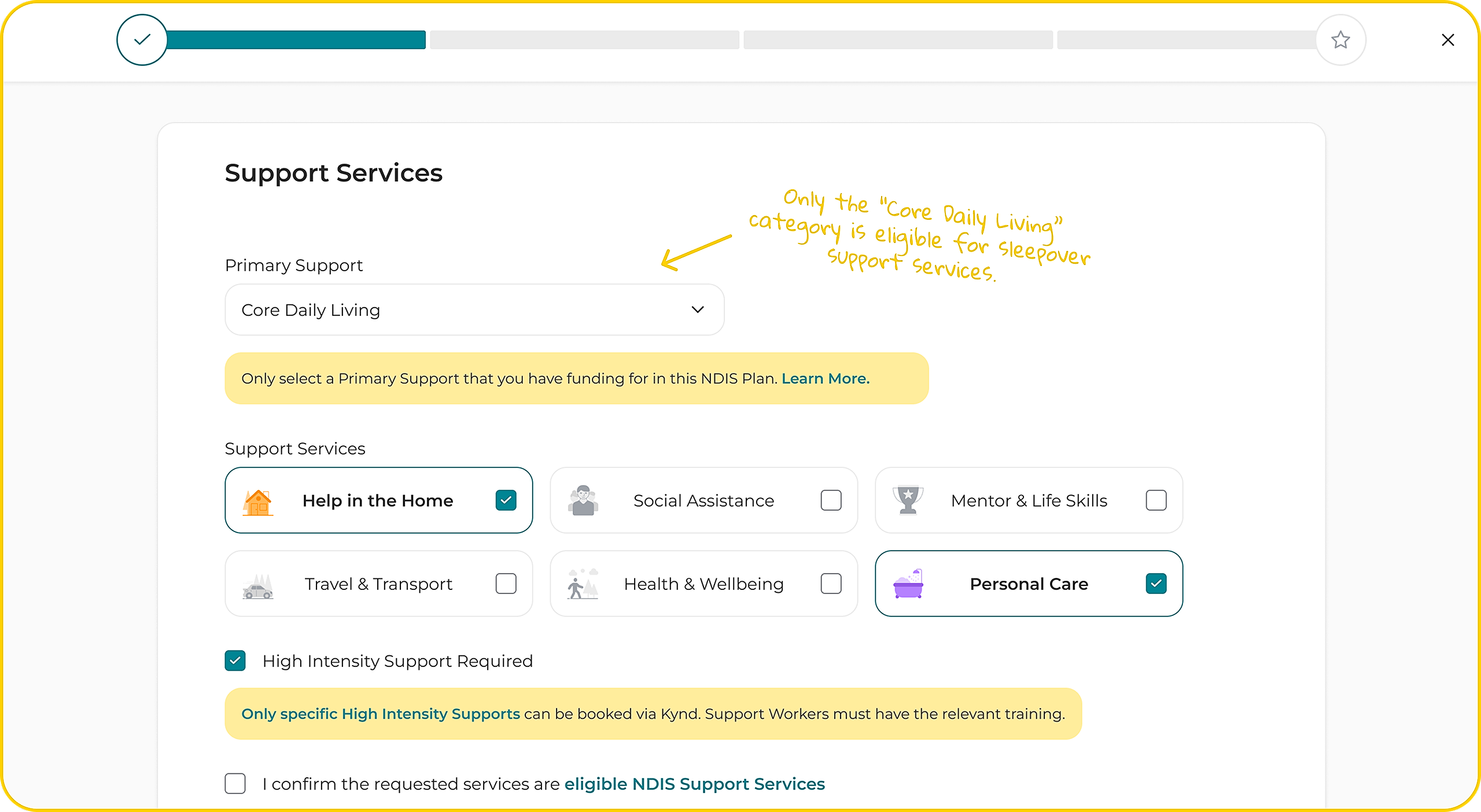
When selecting the Primary Support Type for your booking, keep in mind that only the “Core Daily Living” category is eligible for sleepover support services.
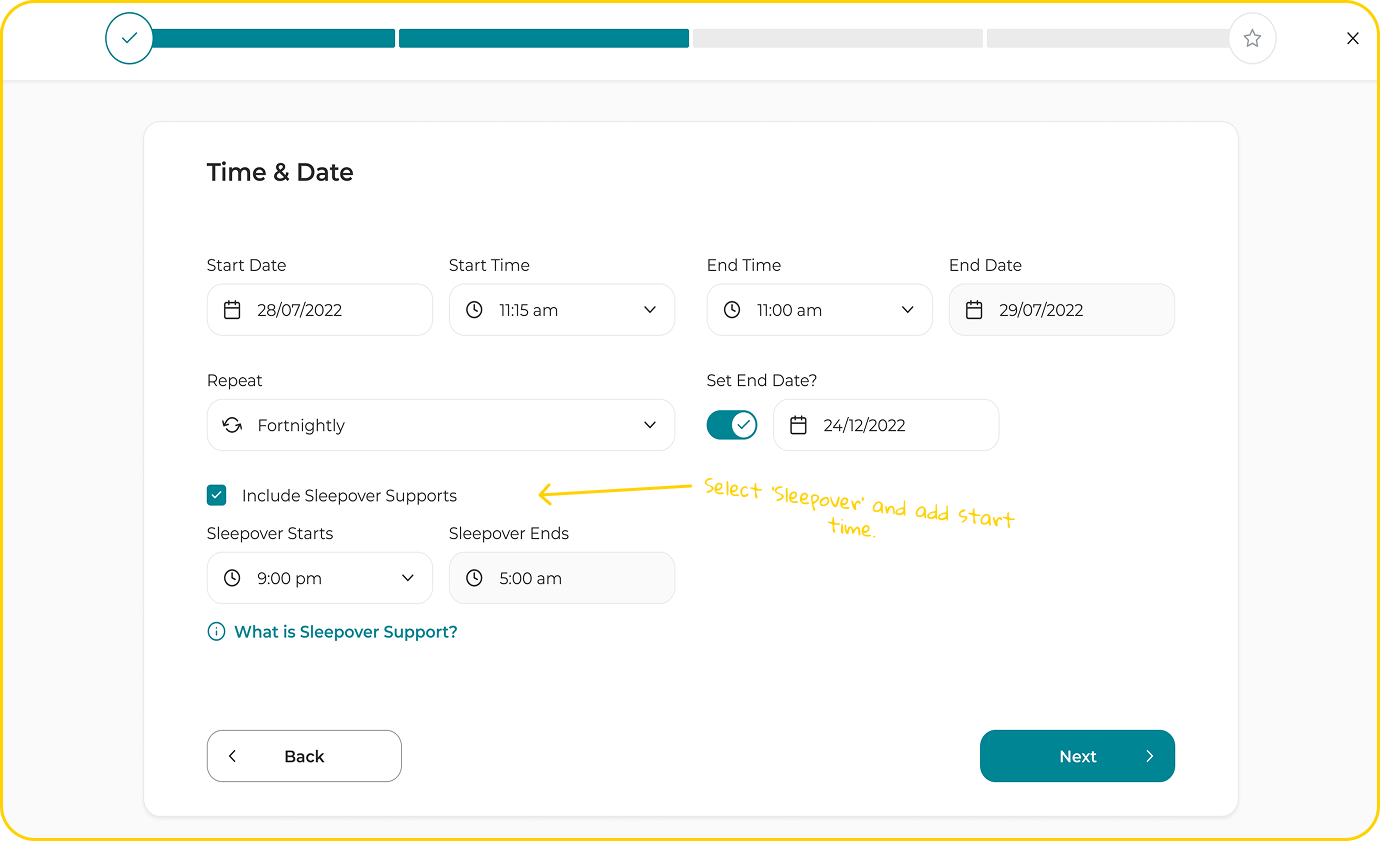
If the booking date and times you select go over 8 hours and start before midnight and end after midnight, you will see an option on the next page to select sleepover support and add the time the sleepover component of the booking will start and finish.
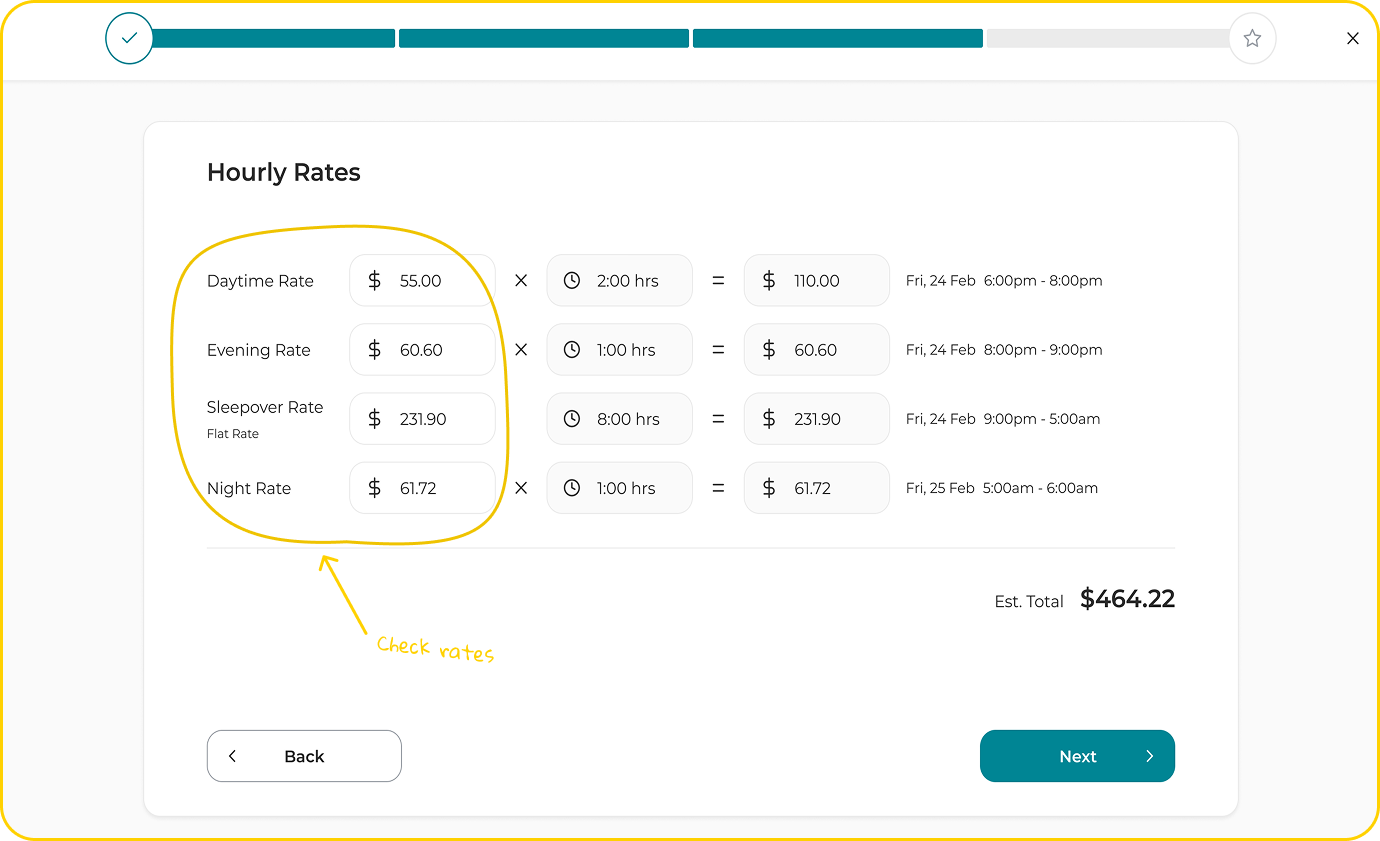
Check if the Sleepover Rate (flat fee) and any other hourly rates are accurate, and update if needed.
Follow the booking wizard prompts and review the booking summary. If everything looks ok, select ‘Request Booking.’ The booking will be shared with your client to review and approve.
How to add additional active night support hours
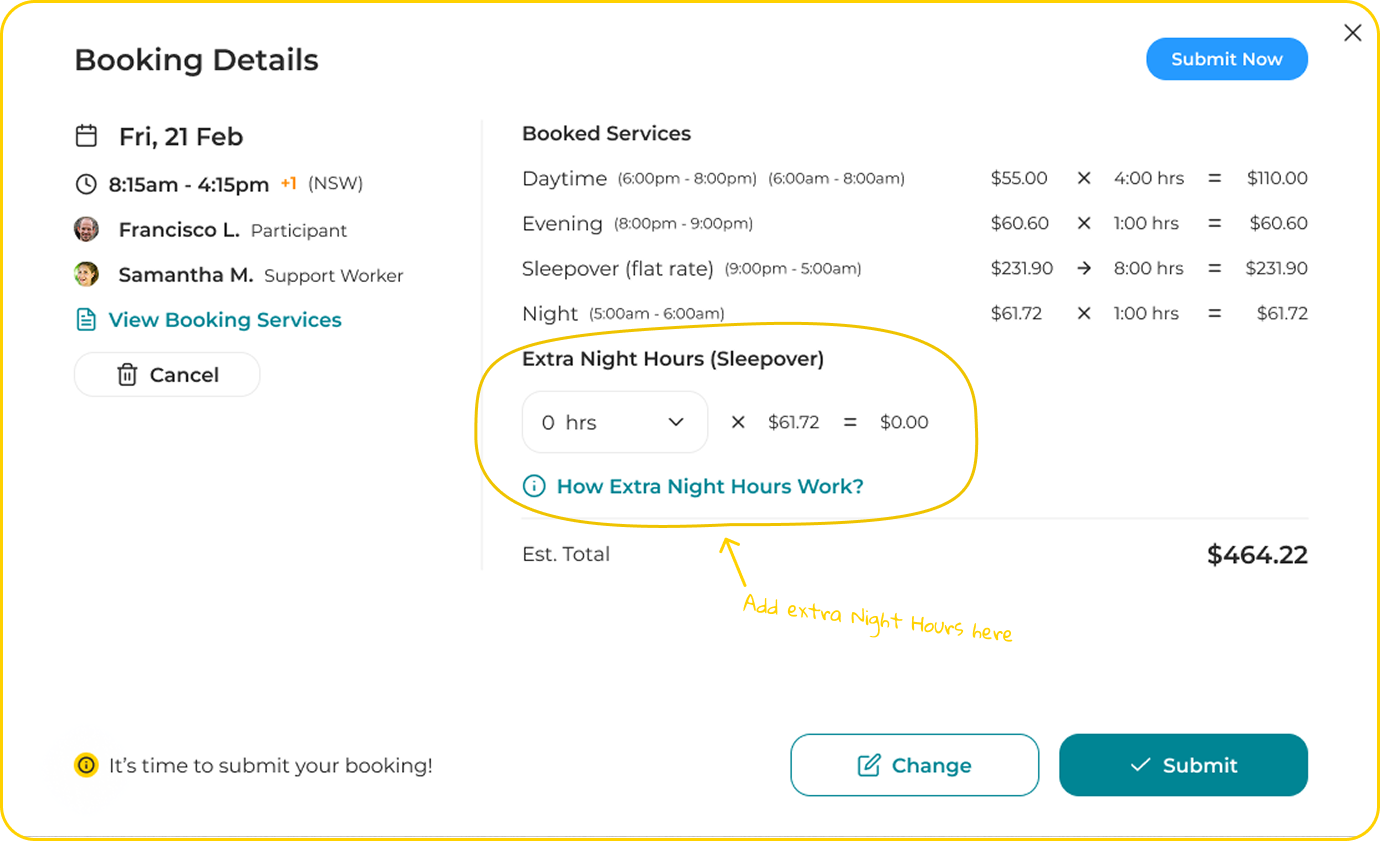
If active night support exceeds the 2 hours included in a sleepover booking, and if the Member and Support Worker agree in advance, there will be an option for the Support Worker to add additional active hours when submitting the booking for approval.